WPism editorial review
Semrush Local Review
Semrush Local helps businesses manage online listings, monitor reviews and understand their visibility in local search.
Author’s take

Listings, review management and local ranking tools are easier to work with when their data is together. Existing Semrush users should compare the add-on cost with the features they need.
Our verdict
Local visibility and reviews, together.
What we like
- Detailed insights into local rankings, ratings, and reviews
- AI-powered auto-replies and reply suggestions for reviews
- Free trial to try all premium features
What to consider
- Needs full Semrush suite for complete local SEO
- Relatively new features that need more updates
- Expensive Pro plan as an add-on for already expensive core plans
Semrush Local Review – Complete Overview and Guide 2026
 By Pradeep SinghLast updated
WPism is a reader-supported publisher. We may earn an affiliate commission when you purchase through our links, which enables us to do our best work and offer our research for free.
Local SEO is a crucial element that businesses with a physical presence need to consider in this ever-competitive digital world. Enhancing online presence helps local businesses stand out in online search results and increase foot traffic and sales.
Although some platforms, such as Google Business Profile, Bing Places for Business, etc., help businesses manage their profiles on specific platforms, businesses today need a comprehensive platform to manage and monitor their online presence across hundreds of websites and platforms.
Semrush Local stands out as a comprehensive suite, offering unique features that help local businesses manage their online profiles across platforms, dominate local search results, attract more customers, and build a stellar online reputation.
In this complete Semrush Local review, we will explore how you can make the most of this tool to transform your local business strategy, saving you time while maximising your online impact.
What is Semrush Local?
Semrush Local is a tool from Semrush that is dedicated to helping local businesses manage and monitor their online presence by providing local insights about their businesses and related tools.
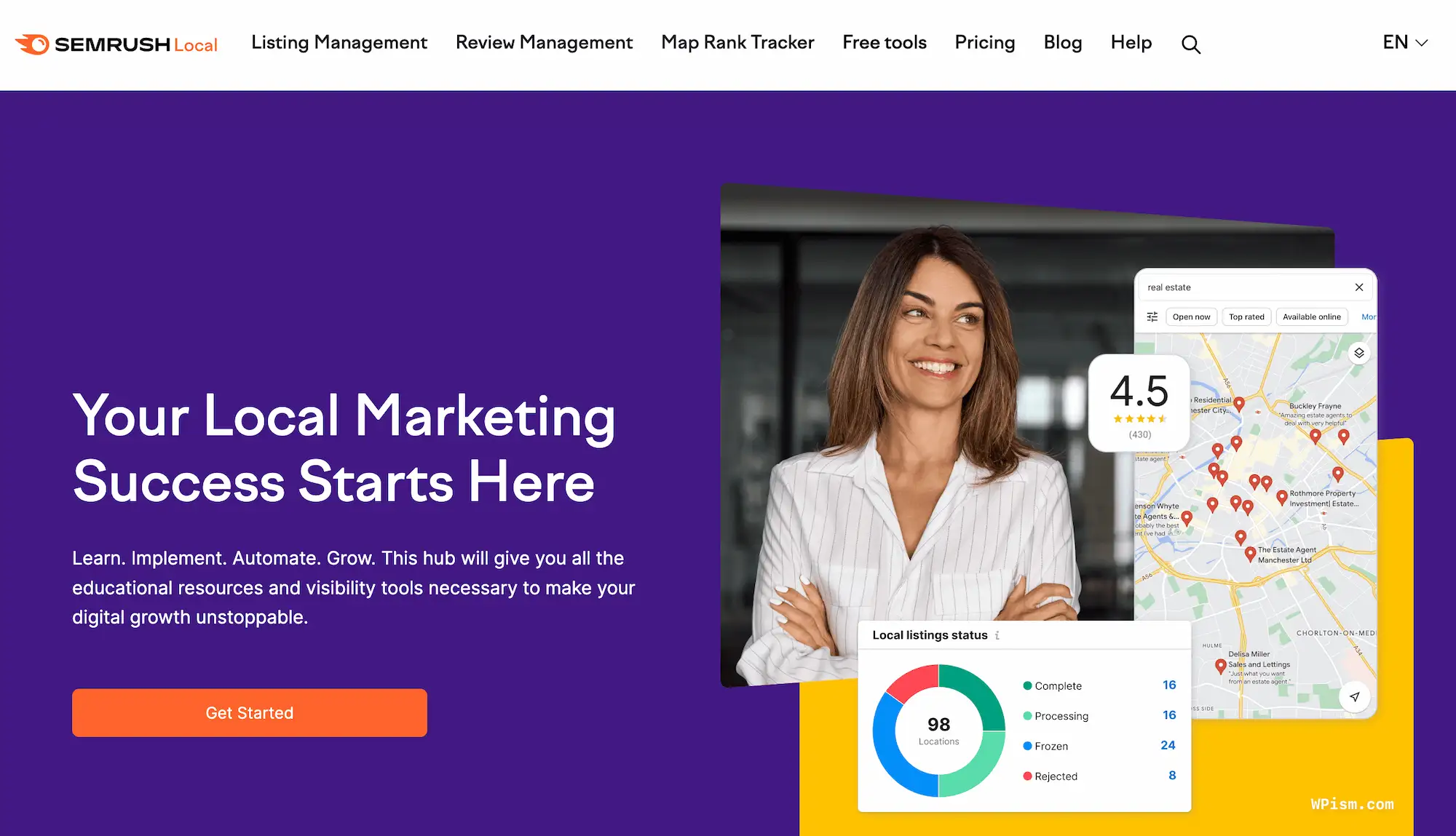
With Semrush Local, you can maintain consistently accurate business information across all major directories, significantly boost your visibility on Google Maps, and automate review management, saving you time and effort.
Semrush Local is useful for all kinds of businesses with a physical presence, whether you run a single location or manage multiple outlets.
We will explore Semrush Local pricing details later, but if you haven’t signed up for Semrush itself, we have an exciting offer for you.
You can get an extended trial of 14 Days using the Semrush coupon code that is applied automatically. You will see the promotion applied during checkout.
🔥 Get 14 days Free – Save $119.95
Deal: Extended Semrush Trial Deal
Coupon Code: Direct Link
Let’s further look at Semrush Local’s core elements and key features to help you decide if It is the right tool for your business needs.
Semrush Local Tools and Features
The Semrush Local suite consists of three main tools: Listing Management, Review Management, and Map Rank Tracker.
These tools then integrate with other core features of Semrush’s software, such as Position Tracking, On-Page SEO Checker, and Social Media tools, to give you a complete picture of your local visibility.
Here’s a quick preview of all the tools and features included in the Semrush Local suite. All the tools and features are designed to boost your local SEO efforts:

Boost your business with Semrush! Our all-in-one marketing platform helps you attract new customers, save time and money, and stay ahead of competitors.
Trusted by small businesses worldwide, Semrush uses powerful SEO, AI tools, and comprehensive competitor analysis to drive traffic and increase revenue.
Start your free trial today and see the results for yourself!
Let’s examine some of the major tools and how you can use them effectively for your local business.
Here is a summarized table of all the local SEO tools offered by Semrush, providing an overview of their features and benefits:
|
Semrush Local Tools |
Key Features |
|---|---|
|
|
|
|
|
|
|
|
|
|
|
|
|
|
|
|
|






Semrush Local Listing Management Tool
Listing management is one of the essential tasks when getting started with local SEO. You need to start by listing your business on several platforms and manage your information on these platforms over time.
That’s where the Local Listing Management tool can save you a lot of time and hassle. It acts like a central place where you take control of your local business presence.
You can get started using this tool under the Local ToolKit > Listing Management of your Semrush Dashboard.
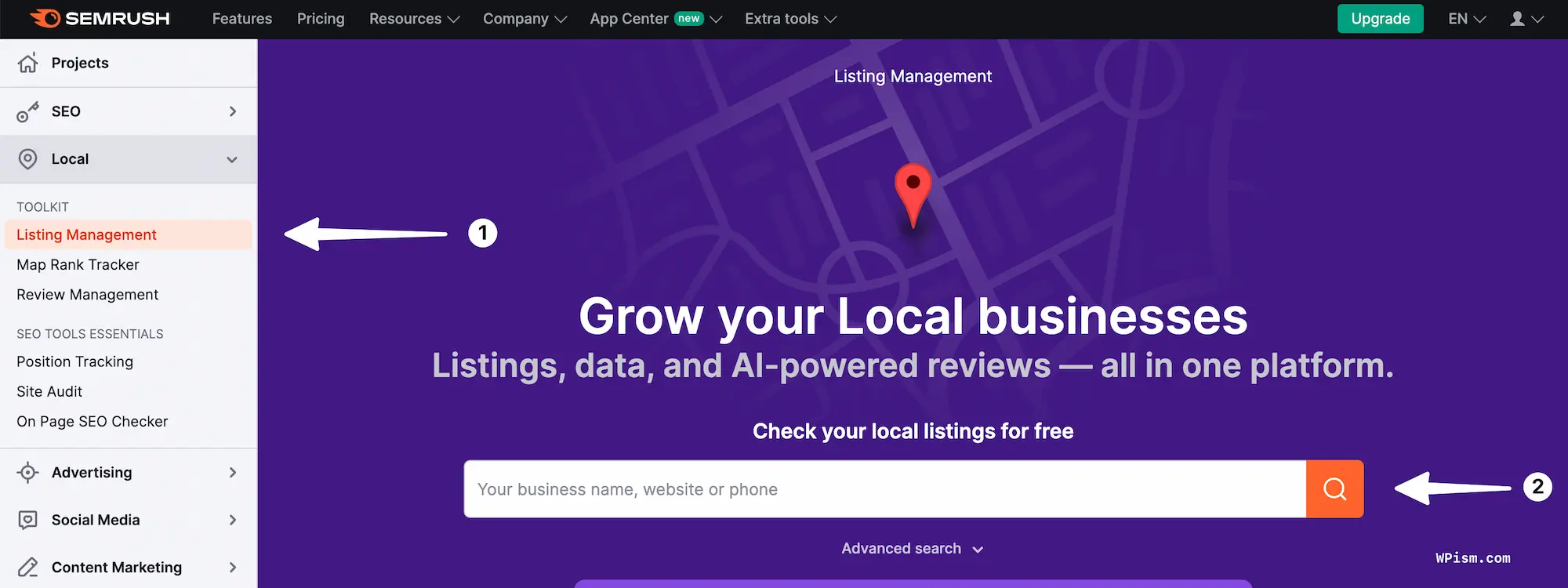
Here are some of the key features that the tool is designed for.
Boost Your Local SEO Effortlessly
With Semrush’s Listing Management tool, you can transform how you handle your business’s online presence.
This tool saves you significant time and effort by automatically uploading your business information to dedicated directories.
Just input your contact information once, and the tool distributes it across multiple platforms, ensuring consistency and accuracy.
Comprehensive Online Information
The Listing Management tool enables you to easily manage your business’s NAP (name, address, phone) across various directories.
You can update your business info seamlessly across major resources like Google, Yelp, Facebook, and Alexa by entering your business info once.
This ensures your business information is always accurate and up-to-date, enhancing your online visibility and credibility.
Wide Distribution Network
With Semrush’s Listing Management tool, you can spread your business information across maps, applications, search engines, and aggregators in over 60 countries.
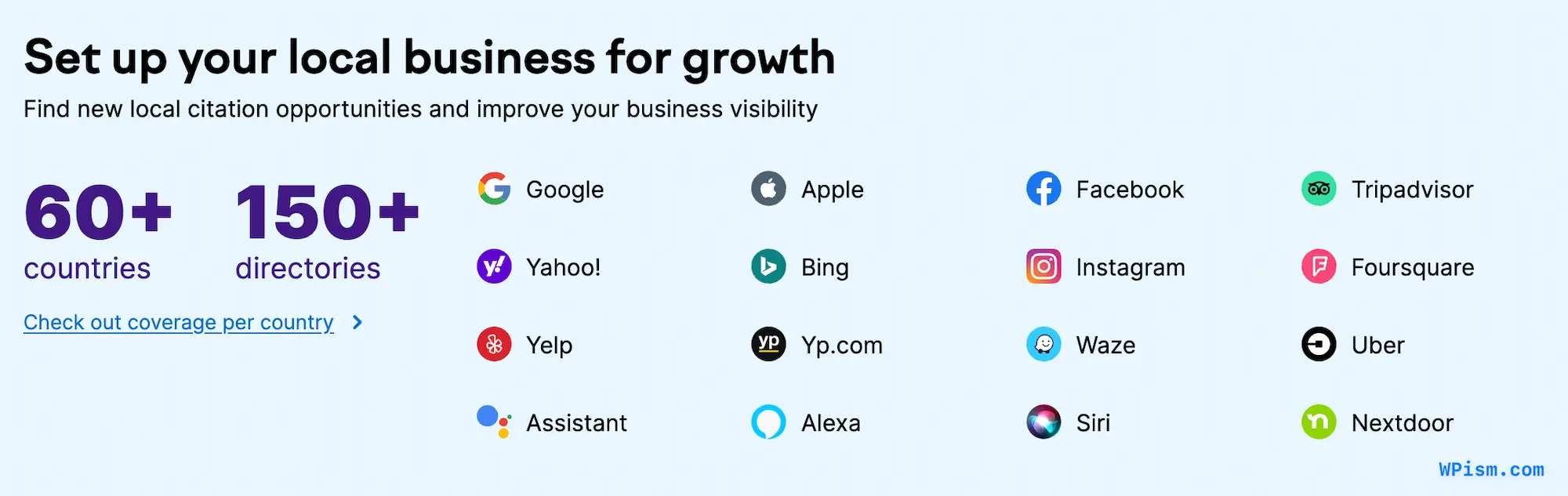
This extensive reach ensures potential customers can find your business no matter where they search, increasing your chances of attracting local traffic.
Efficient Information Management
You can easily distribute and edit your business information from one centralized location.
This feature is particularly useful if you manage multiple locations, as it ensures that all listings are consistent and correct.
Additionally, you can upload logos, photos, and videos to make your listings more appealing, and these updates automatically reflect across all directories.
Real-Time Reputation Monitoring
Monitoring your business’s reputation has never been easier. The Listing Management tool lets you see all available reviews for a particular listing and read them directly within the tool’s interface.
You can track your current ratings, filter reviews, and respond to customer feedback promptly, maintaining a positive online presence.
Stay Updated with Ratings and Reviews
The tool helps you keep track of all customer reviews in one place. You can easily monitor and respond to reviews, ensuring you never miss any feedback.
This capability allows you to address customer concerns quickly and maintain a high level of customer satisfaction.
Enhance Visibility for Local Customers
Semrush’s Listing Management tool significantly improves your business’s visibility for local customers.
The tool helps you reach more potential customers and boost your local SEO performance by ensuring your business information is accurately listed across various directories.
Key Features at a Glance
| Feature | Description |
|---|---|
| Distribution and Management | Automatically distribute and manage business info across 150+ globally supported directories. |
| Reputation Monitoring | Monitor and manage online reviews from a single dashboard. |
| Review Notifications | Receive notifications for negative reviews to promptly address customer feedback. |
| Competitor Review Analytics | Analyze competitor reviews to stay ahead in the local market. |
| AI-Generated Reply Suggestions | Get AI-generated reply suggestions for reviews (Premium plan). |
| Automated Review Responses | Automate the review response process with AI auto-replies (Premium plan). |
| Google Maps Ranking Tracker | Track local rankings and changes over time (Premium plan). |
| Listing Management API | Access the API for streamlined listing management across multiple platforms (Premium plan). |
Using Semrush’s Listing Management tool can revolutionize how you manage your business’s online presence.
With its powerful features and wide distribution network, you can ensure your business information is accurate, enhance your online visibility, and maintain a positive reputation effortlessly.
Semrush Local Review Management Tool
With Semrush’s Review Management tool, you can keep a close eye on your business’s reputation and take timely action to maintain it.
This powerful tool allows you to see all available reviews of your listings across various directories, starting with the most recent ones.
Having all your reviews in one place allows you to easily manage customer feedback and ensure your business maintains a positive online presence.
You can get started with this tool under the Local ToolKit > Review Management of your Semrush Dashboard.
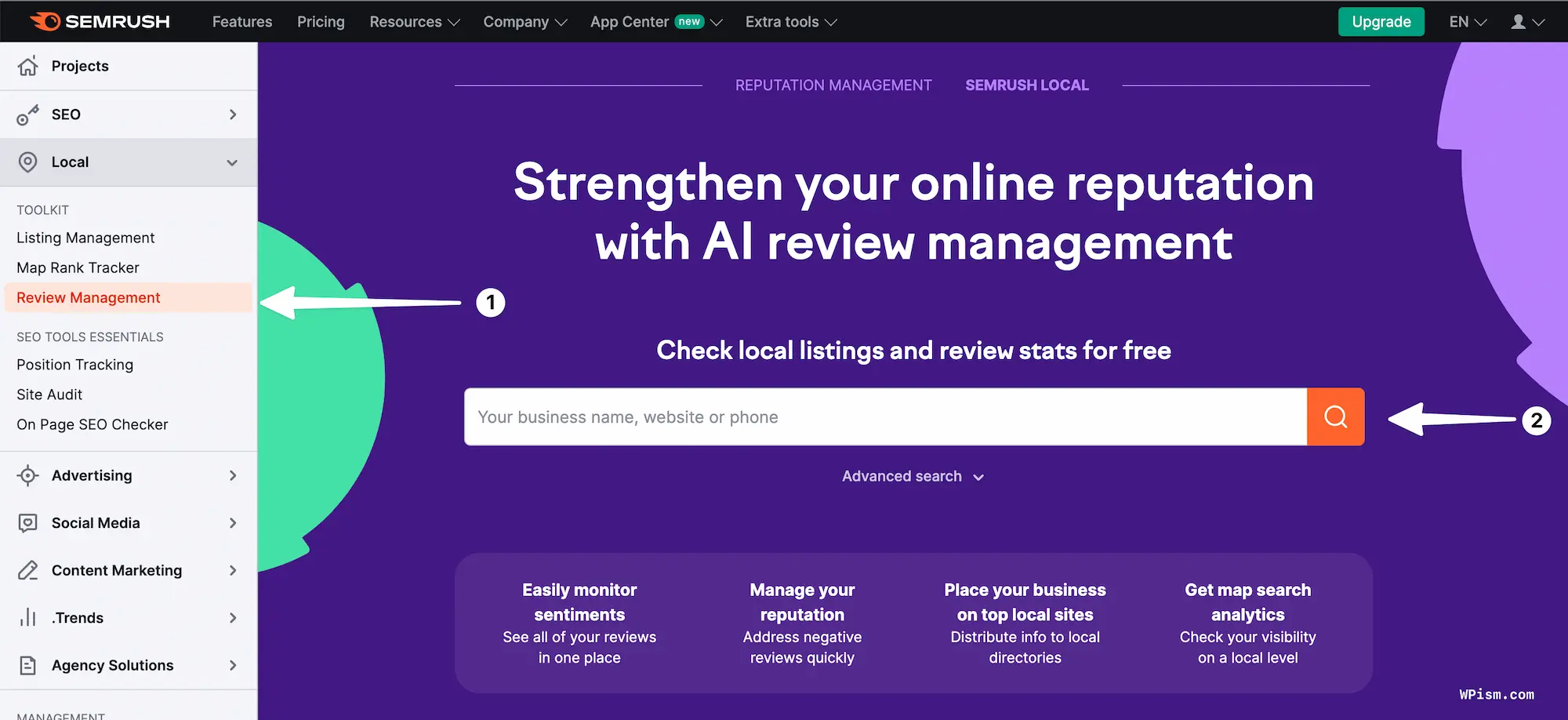
Centralized Review Dashboard
The Review Management dashboard provides a comprehensive view of all your reviews. You can read any review directly from the tool, and if you need to respond or learn more, press the “Open review” button.
This feature takes you straight to the directory where the review is located, streamlining your workflow and saving you valuable time.
Make sure to connect your Google Business Profile to Semrush, enabling you to reply to Google reviews directly from the platform.
Filter Reviews by Status
To focus on specific types of reviews, you can filter them by status at the top of the Reviews table.
Irrespective of whether you want to address negative feedback or celebrate positive comments, these filters help you prioritize your responses and manage your reputation effectively.
AI-Generated Response Suggestions
When you’re unsure how to respond to a customer review, leverage AI-generated responses for inspiration.
The tool provides automatic suggestions for the first five unanswered reviews in the Review Management section.
You can also manually generate suggestions for specific reviews using the “Generate draft” button next to the review you wish to respond to.
Note that this feature allows up to 50 AI-generated suggestions per location daily, giving you ample support in managing your responses.
AI Auto-Reply for Premium Users
As a Premium Semrush Local user, you can take advantage of the AI auto-reply feature to save time and enhance your customer service.
This feature, powered by ChatGPT, automatically responds to customer reviews by analyzing them and generating appropriate replies.
By enabling auto-replies, you demonstrate to Google that your business values customer feedback, which can improve your local SEO rankings.
You can customize the auto-reply settings to respond to positive reviews (4-5 stars), negative reviews (1-3 stars or without rating), or both.
AI replies are generated in the language of the review, ensuring accurate and contextually appropriate responses.
Each Premium location has a limit of 30 AI-generated replies per month, and you can review and edit these replies after they are published to maintain quality control.
Stay Updated with Email Alerts
Email alerts ensure you never miss an important review. If you receive a negative review, Semrush Local will send you a weekly email with details of the review and a call-to-action to respond.
This feature helps you stay proactive in managing your business’s reputation and addressing customer concerns promptly.
Key Features at a Glance
| Feature | Description |
|---|---|
| Centralized Dashboard | Monitor and read reviews from all directories in one place. |
| Review Filters | Filter reviews by status to focus on positive or negative feedback. |
| AI-Generated Response Suggestions | Get inspiration for responses with AI-generated suggestions for unanswered reviews. |
| AI Auto-Reply | Automatically respond to reviews with AI-generated replies for Premium users. |
| Email Alerts | Receive weekly emails for any negative reviews to stay on top of your reputation. |
Semrush’s Review Management tool provides you with everything you need to maintain a positive online reputation.
With features such as centralized review monitoring, AI-powered responses, and proactive email alerts, you can ensure that your business remains responsive and highly regarded by your customers.
Semrush Local Map Rank Tracker
Semrush’s Map Rank Tracker is an essential tool for local businesses looking to monitor their performance on Google Maps.
This tool lets you track how well your business ranks for chosen keywords in specific areas. To set it up, simply input your business location, select the number of map pins (map grid), and enter your target keywords.
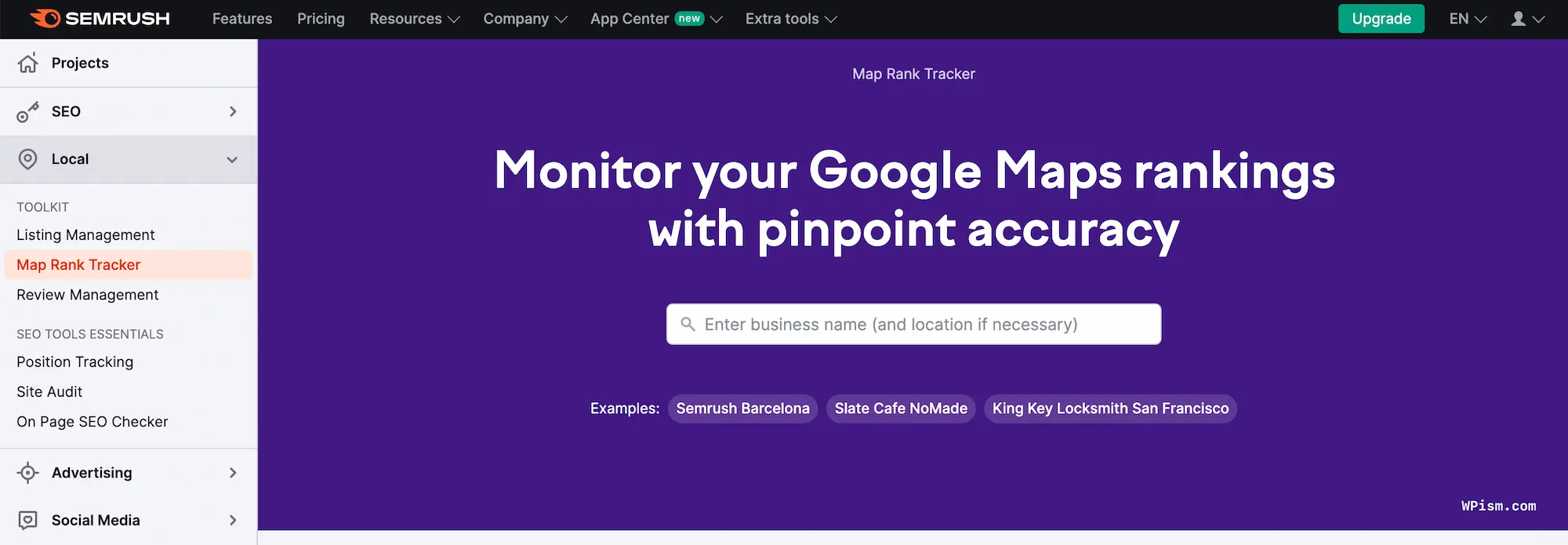
The Map Rank Tracker then generates a detailed heatmap report showing your business rankings for each map pin.
What Is Map Rank Tracker?
The Map Rank Tracker helps you understand how your business performs when users from selected areas search for specific keywords.
This tool is especially beneficial for businesses in competitive markets that strive to remain at the top of Google Maps results.
Available as a stand-alone solution or included with the Semrush Local Premium Plan, it provides crucial insights into your local SEO performance.
How Can Map Rank Tracker Help You?
Map Rank Tracker is designed to help you stay competitive and visible in your local market. Here’s how it can benefit your business:
Pricing Plans for Map Rank Tracker
Map Rank Tracker offers flexible pricing plans to suit different business needs. Here’s a breakdown of the available options:
| Plan | Features | Price |
|---|---|---|
| Free Plan | One campaign, 50 credits | Free |
| Map Rank Tracker Basic Paid Plan | One campaign, 4,000 credits | $30/month |
| Semrush Local Premium Plan | One campaign, 2,500 credits (included with Semrush Local Premium) | $40/month |
| Additional Credits Package | 1,000 additional credits | $5/month |
| Additional Campaigns Package | One additional campaign | $10/month |
Credits are used to gather ranking data. For instance, a 5×5 grid scan for one keyword will cost 25 credits. Credits refresh monthly, ensuring you have the resources to continuously monitor your rankings.
How to Use Map Rank Tracker
To get started with Map Rank Tracker, follow these steps:
- Enter Your Business Name: Start by typing your business name into the search bar.
- Add Keywords: Input the keywords you want to track. You can add your own or use AI-generated recommendations, with a limit of 100 keywords per campaign.
- Set Up Your Grid: Visualize your target area by dragging a grid over it or entering specific measurements. Adjust the grid size and distance to suit your needs.
- Schedule Scans: Decide how often you want the tool to gather ranking data. You can set it to run weekly, monthly, or at a custom interval.
- Analyze Results: View a real-time snapshot of your local visibility, including Average Rank, Share of Voice, and Rank Distribution.
- Toggle Keywords: Easily switch between keywords using the drop-down menu at the top of the screen.
- View Detailed Rankings: Click a map pin to see the top 20 businesses ranking for that location.
- Check Historical Data: Use the mini heatmaps feature to navigate through historical heatmaps and track your performance over time.
Key Metrics Explained
Map Rank Tracker provides several key metrics to help you understand your performance:
As you can see, using the Semrush Local Map Rank Tracker effectively can help you gain deep insights into your local search performance, monitor competitors, and make data-driven decisions to enhance your visibility on Google Maps.
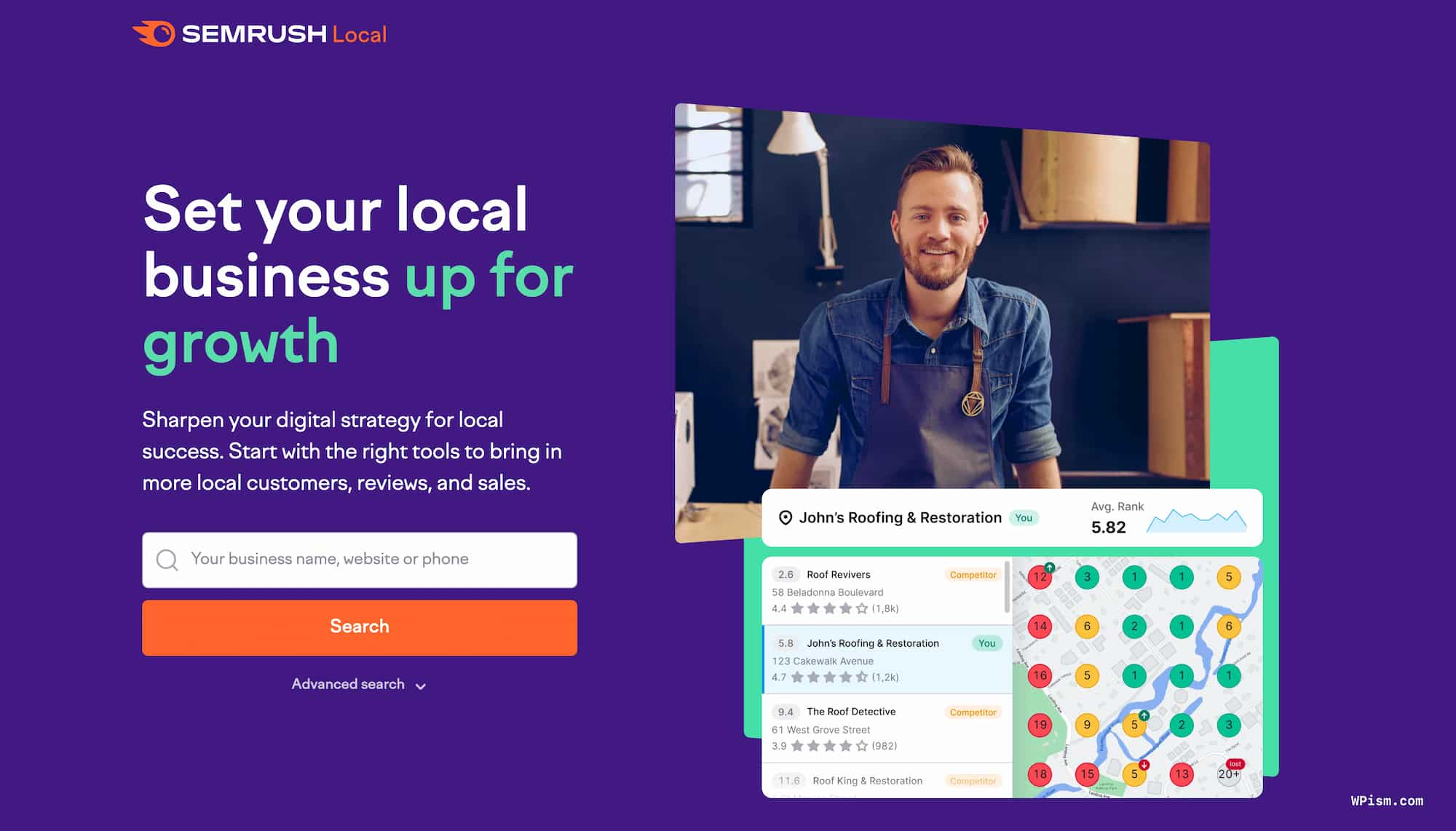
Semrush Local Pricing Plans
Semrush Local provides flexible pricing plans to meet the diverse needs of local businesses. You get two comprehensive stand alone plans to choose from and have an option to use Local as an add-on.
Semrush Local can be added to your existing Semrush subscription or purchased as a stand-alone solution.
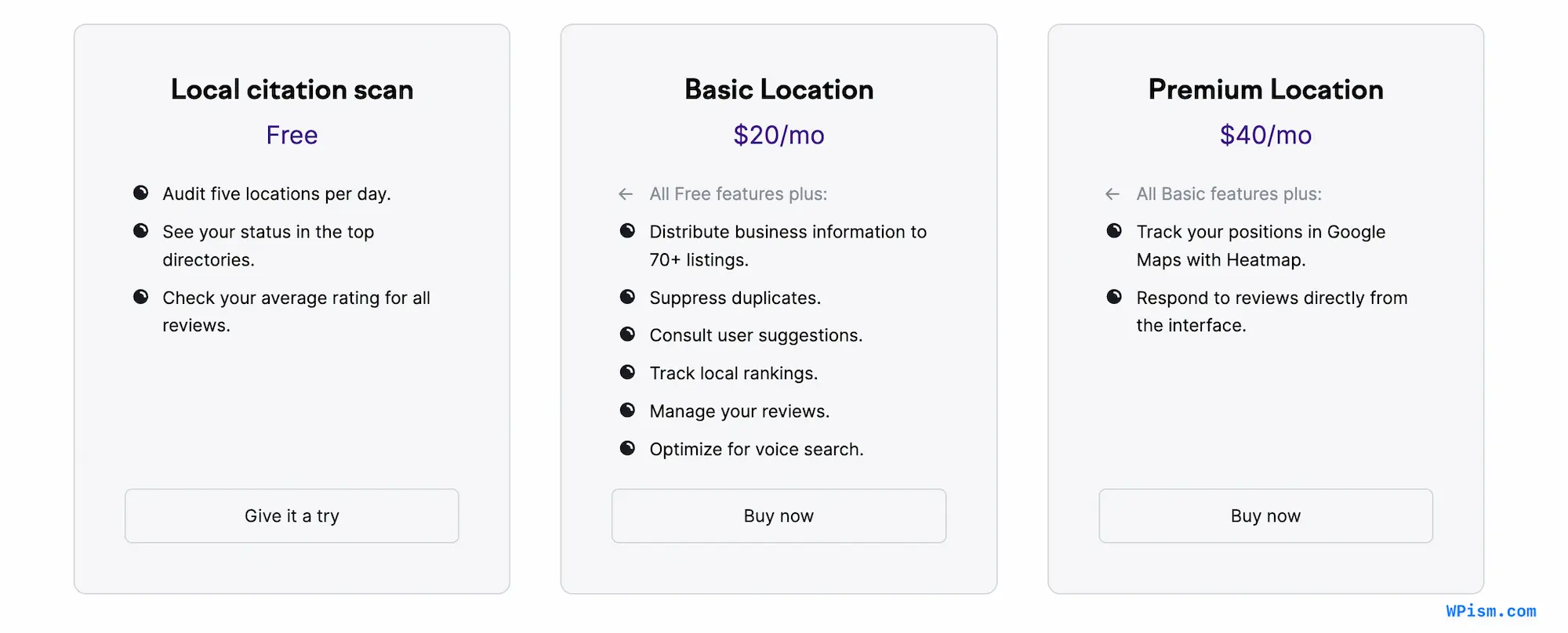
If you already have a Semrush subscription, you can add the Local as an add-on to your account for $20/month. If you don’t need the entire SEO solutions of Semrush, you can simply subscribe to Semrush Local on its own.
This flexibility ensures that you can choose the option that best fits your business needs and budget. Here’s a detailed look at the two available plans:
Semrush Local Basic Plan
The Basic plan is priced at $20 per month per location and includes essential features to manage and optimize your local business information. This plan provides the following benefits:
Semrush Local Premium Plan
The Premium plan is available for $40 per month per location and offers all the features of the Basic plan, plus additional advanced functionalities to further enhance your local SEO efforts:
If you want to quickly decide between the plans, see this quick pricing comparison to proceed with the most suitable plan.
Semrush Local Pricing Comparison
| Feature | Basic Plan | Premium Plan |
|---|---|---|
| Monthly Cost (per location) | $20 | $40 |
| Directory Management | Yes | Yes |
| Reputation Monitoring | Yes | Yes |
| Negative Review Notifications | Yes | Yes |
| Competitor Review Analytics | 1 report/month (5 competitors) | 5 reports/month (10 competitors) |
| Reply to Google Business Profile Reviews | No | Yes |
| AI-Generated Reply Suggestions | No | 50 suggestions/day/location |
| AI Auto-Replies | No | 30 replies/month/location |
| Google Maps Ranking Tracker | No | Yes |
| Campaign and Credits | No | 1 campaign + 2,500 credits |
| Listing Management API | No | Yes |
For businesses with multiple locations, subscriptions are required for each location. If you have more than 20 locations and need a more tailored subscription, contact the Semrush sales team for a customized offering.
You can sign up for Semrush Local as add-ons from their main pricing plans page. See the local pricing plans listed under Pro and Guru plans of Semrush.
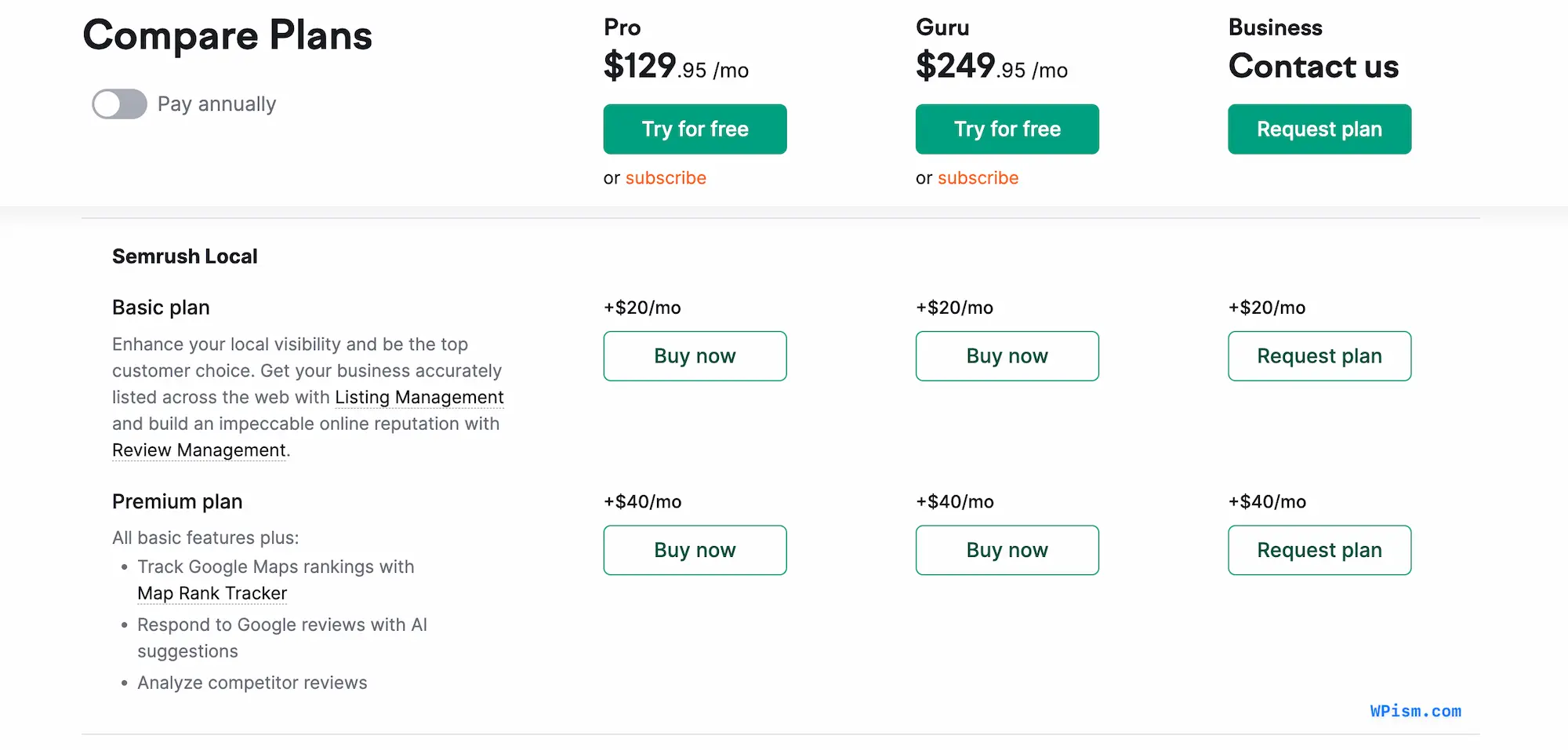
Start with a plan that best fits your needs and set your business on the path to local success.
Semrush Local Alternatives
When it comes to local SEO tools, there are several competitors that offer similar features to Semrush Local. Some of them offer unique features tailored to different business needs, and some are very specific to their own platform.
Most of the key search players such as Google and Bing also provide their own local business management tools that are completely free for businesses.
As for premium third-party options, here are some of the key competitors to Semrush Local:
BrightLocal
BrightLocal is a comprehensive local SEO platform designed to help businesses improve their online visibility and manage their reputation. It offers a variety of tools, including citation building, review management, and local search audits.
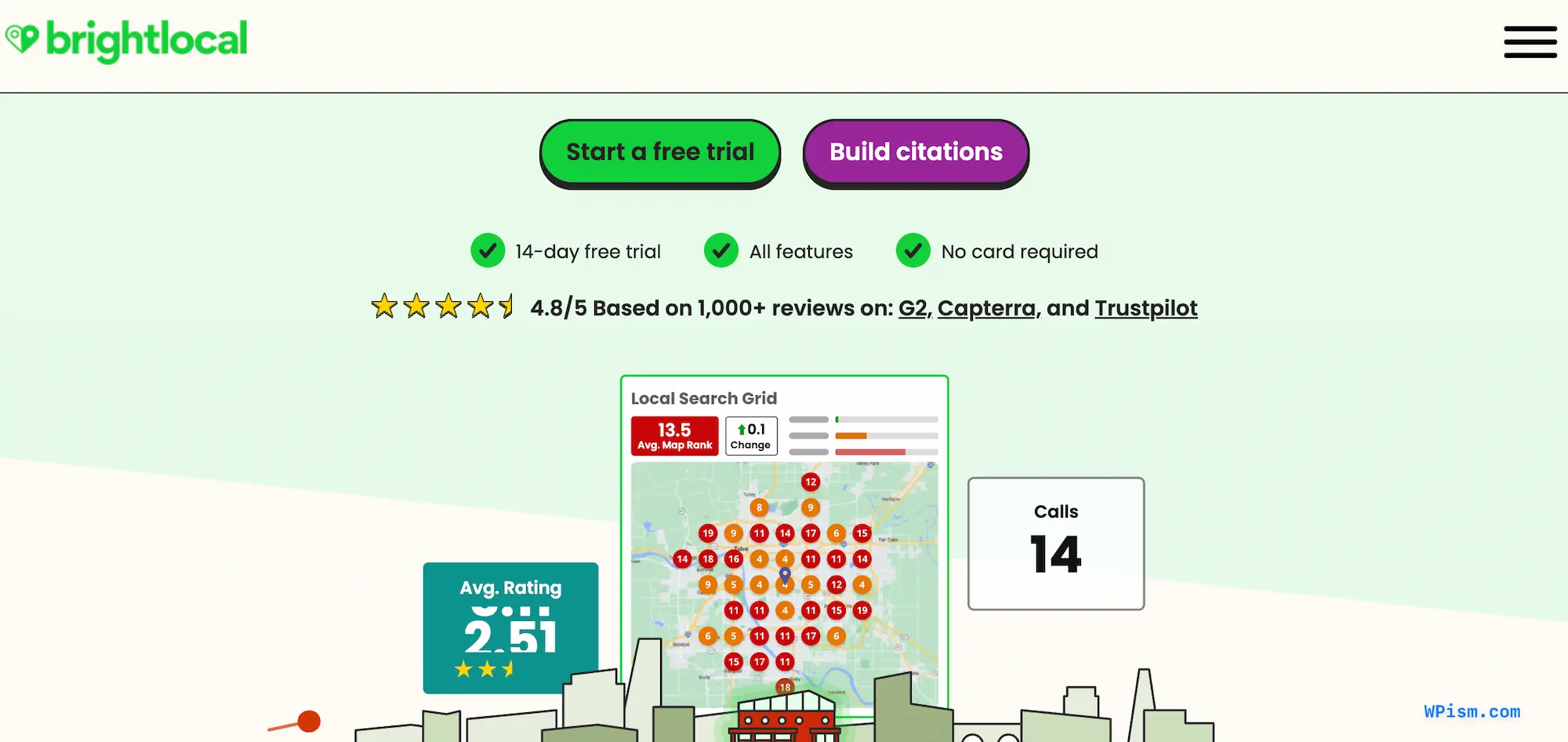
Some of the main features of BrightLocal, which are similar to Semrush Local, include;
- Citation Builder: BrightLocal helps you submit your business details to hundreds of local directories, ensuring consistency and boosting local search rankings.
- Review Management: Monitor, respond, and showcase reviews from multiple platforms in one place. This tool helps you build a solid online reputation and attract more customers.
- Local Search Audits: BrightLocal’s auditing tools crawl over 300 data points to highlight issues and opportunities, making it easy to improve your local SEO.
- White-Label Reporting: Generate professional reports with your branding, ideal for agencies managing multiple clients.
Pricing: Starts at $39 per month with a 14-day free trial.
Yext
Yext is a powerful tool for managing business listings and reviews across multiple platforms. It ensures your business information is consistent and accurate across all major directories.
- Review Monitoring: Track and respond to reviews from various sites within a single dashboard, helping you maintain a positive online presence.
- Voice Search Optimization: Make your business listings compatible with voice search, ensuring that customers can find you easily using voice assistants.
- Listing Management: Automatically update business information across numerous directories, improving your local search visibility.
Pricing: Varies based on business needs and package customization.
Synup
Synup provides an extensive platform for managing business listings, reviews, and local SEO performance.
- Data Accuracy: Synup crawls over 200 local search engines and directories to ensure your business information is accurate and up-to-date.
- Performance Tracking: Track your web rankings, traffic, and customer reviews from a single interface.
- Review Management: Get notified of new reviews, respond directly, and maintain a strong reputation.
Pricing: Custom pricing based on business requirements.
Localo
Localo is a user-friendly local SEO tool that offers free features to help small businesses improve their online presence.
Some of the similar features of Localo include;
- Google Business Profile Monitoring: Track weekly local rankings and get insights to improve your visibility on Google Maps.
- Free Website Builder: Create a free, AI-powered website that integrates with your Google Business Profile, showcasing your business information and reviews.
- Citation Management: Identify and correct inconsistencies in your business listings across various directories.
Pricing: Free plan available; paid plans start at $29 per month per location.
GeoRanker
GeoRanker specializes in tracking website rankings across multiple locations, providing valuable insights through heatmaps.
- Heatmap Reports: Visualize your website’s performance in different locations, helping you plan targeted SEO campaigns.
- Local Rank Tracker: Monitor your local search rankings and adjust your strategy based on real-time data.
- Citation Tool: Determine the sources of your citations and manage them effectively to improve local SEO.
Pricing: Custom pricing based on specific needs.
Google Business Profile
Google Business Profile (formerly Google My Business) is an essential tool for local SEO, allowing businesses to manage their presence on Google Search and Maps.
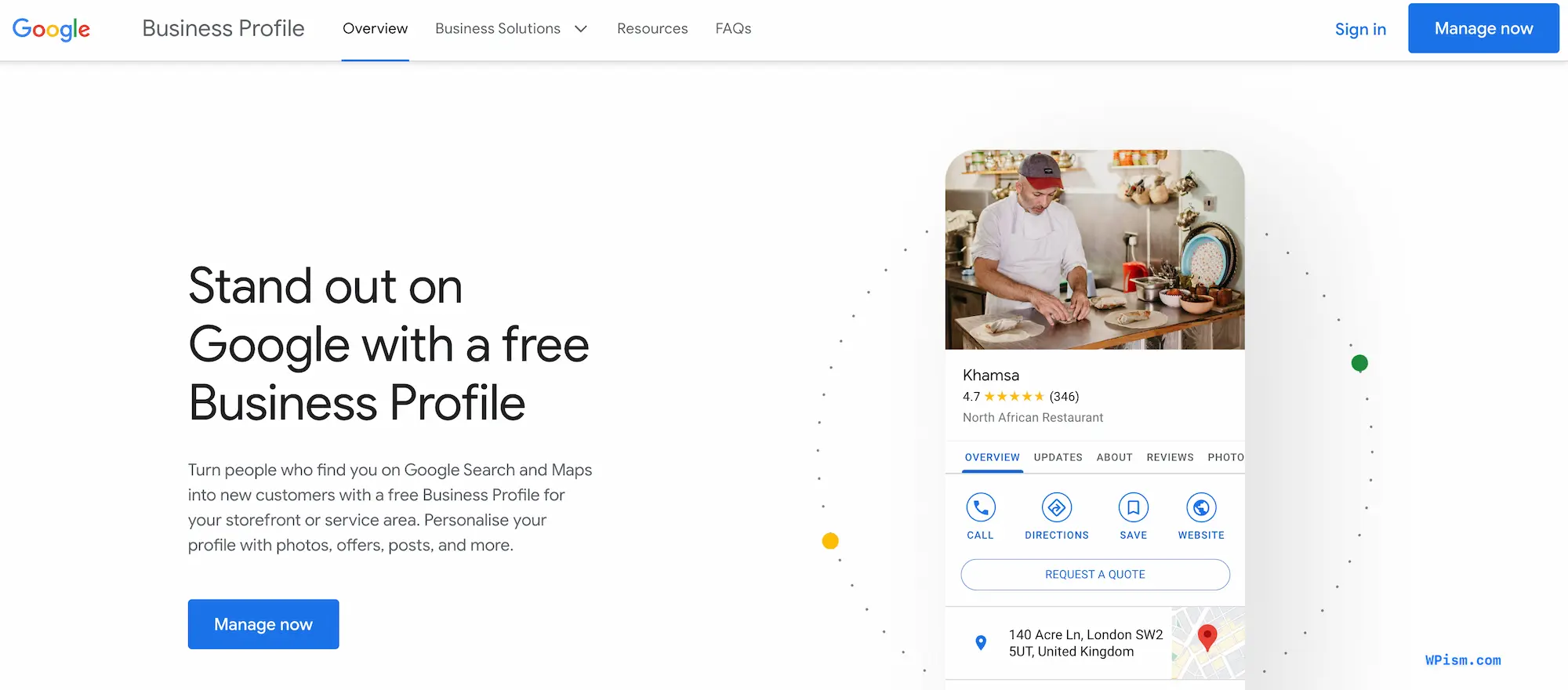
Some of the key features that are similar to Semrush Local (but only limited to Google) include;
- Listing Management: Easily update your business information, ensuring potential customers can find accurate details.
- Customer Interaction: Respond to reviews, answer questions, and engage with customers directly through your profile.
- Insights and Analytics: Access valuable data on how customers interact with your listing, including views, clicks, and direction requests.
Pricing: Free
Visit Google Business Profile
Comparison of Key Competitors
See this comparison table to quickly scan the capabilities of Semrush Local’s key competitors.
| Tool | Key Features | Pricing |
|---|---|---|
| BrightLocal | Citation Building, Review Management, Audits | $39/month |
| Moz Local | Citation Building, Automations, Reputation & Engagement | $16/month |
| Yext | Review Monitoring, Voice Search Optimization | Custom Pricing |
| Synup | Data Accuracy, Performance Tracking, Review Management | Custom Pricing |
| Localo | GBP Monitoring, Free Website Builder, Citation Management | Free; Paid plans start at $29/month |
| GeoRanker | Heatmap Reports, Local Rank Tracker, Citation Tool | Custom Pricing |
| Google Business Profile | Listing Management, Customer Interaction, Insights | Free |
Each of these competitors offers unique strengths, making it crucial to choose the one that best fits your business’s specific local SEO needs.
Most tools offer important features such as citation management, comprehensive review monitoring, or detailed local ranking insights, which can help enhance your online presence and drive more local traffic.
Get Started with Semrush Local
Semrush Local has been designed to provide significant value, helping businesses of all sizes improve their local SEO, manage online reputations, and stay ahead of the competition.
The suite of tools from Semrush stand out as a versatile and powerful solution for businesses looking to dominate their local markets. Their user-friendly interface, robust features, and competitive pricing make it an excellent choice for businesses of all sizes.
Embrace the power of Semrush Local to boost your local SEO efforts, drive more traffic, and ultimately grow your business.
Semrush Local Review FAQs
What does Semrush Local do?
Semrush Local helps businesses manage online listings, monitor reviews and understand their visibility in local search.
What should I consider before choosing Semrush Local?
- Needs full Semrush suite for complete local SEO
- Relatively new features that need more updates
- Expensive Pro plan as an add-on for already expensive core plans
WPism editorial review
Semrush Local
Semrush Local is a toolkit with a set of tools and features designed to enhance local businesses' online presence, manage reviews, and improve local search rankings.
- Starting price
- USD 20
- Platform
- Web
- Category
- Business
I highly recommend using Semrush Local in addition to its core SEO features. You can start with our exclusive Semrush coupon offer, which lets you sign up for the extended trial version, giving you enough time to make an informed decision.